
Documents
Paper, beautifully captured
Document scan · For iOS & Android
Photograph or import documents. Refine the edges, enhance each page, and keep everything in one PDF.
These tools run in the Auvrelin mobile app, on your device.
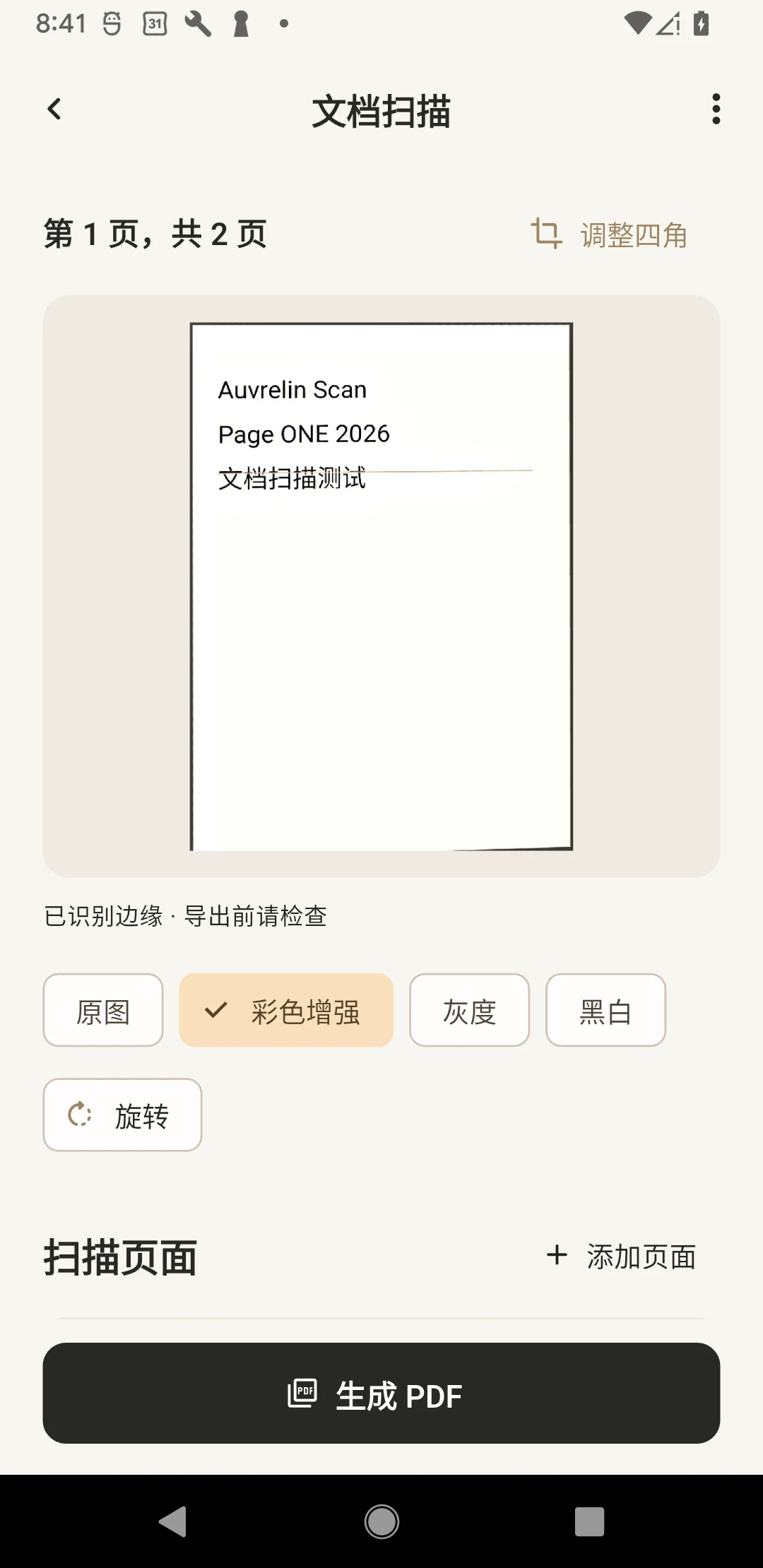
Actual App screen · Chinese / English
Document scan
Photograph or import documents. Refine the edges, enhance each page, and keep everything in one PDF.
Your originals stay yours.
Results are saved separately. Your original images and documents are not overwritten.
01 — 02 — 03
How it works
- 01
Import from photos
- 02
Drag each corner to the edge of your document.
- 03
Create PDF
Good to know
Document scan
1–20 pages · On-device processing
For precise adjustment, select a corner and use the arrows.
Edges detected · Review before exporting
Questions, answered
Do I need an account?
The current tools work without an account. Your files and preferences stay on your device.
Are my original files changed?
Results are saved separately. Your original images and documents are not overwritten.
Download
Auvrelin has not launched on the App Store or Google Play yet. Download links will appear here when it is available.
Release status